The best baby monitors solve different problems: a dedicated screen for simple checks at home, an app for remote access, or a hybrid that offers both. Start with the connection you need before comparing camera resolution. This is a comparison of published manufacturer information, not a hands-on test or a medical-device ranking.
Gear4 products, compared
Best baby monitors: compare the options for your home
Compare baby monitors by connection, caregiver access, travel needs and recurring costs, with a practical shortlist and questions to ask before buying.
Jump to a section
The quick answer
Compare VTech VM819 for a compact local viewer, HelloBaby HB6550-2 for two cameras without Wi-Fi, VTech RM5766HD for screen plus app access, and Nanit for app viewing with optional sleep history. The right choice depends on your home and caregivers; this guide compares published features, not hands-on test scores.
- VTech VM819: a compact dedicated screen without Wi-Fi.
- HelloBaby HB6550-2: two cameras with a local parent display.
- VTech RM5766HD: a parent screen plus remote app access.
- Details come from manufacturer documentation; Emily has not claimed hands-on testing.
At a glance
The details that make a difference when you’re deciding.
| Product | Useful for | Detail to know | Before buying |
|---|---|---|---|
| VTech VM819 | A compact dedicated screen without Wi-Fi | 2.8-inch color parent display | Small display limits visual detail |
| HelloBaby HB6550-2 | Two cameras with a local parent display | 5-inch color display | Confirm audio switching behavior |
| VTech RM5766HD | A parent screen plus remote app access | 5-inch 720p parent display | App depends on supported model generation |
| Nanit Smart Baby Monitor System | App access and optional sleep history | Wi-Fi camera with iOS and Android app access | Account and network setup required |
A closer look
The products, in detail
Actual product photos, manufacturer information, and direct links. Comparisons are based on published specifications; these are not hands-on test results.
01
A compact dedicated screen without Wi-Fi
VTechVTech VM819
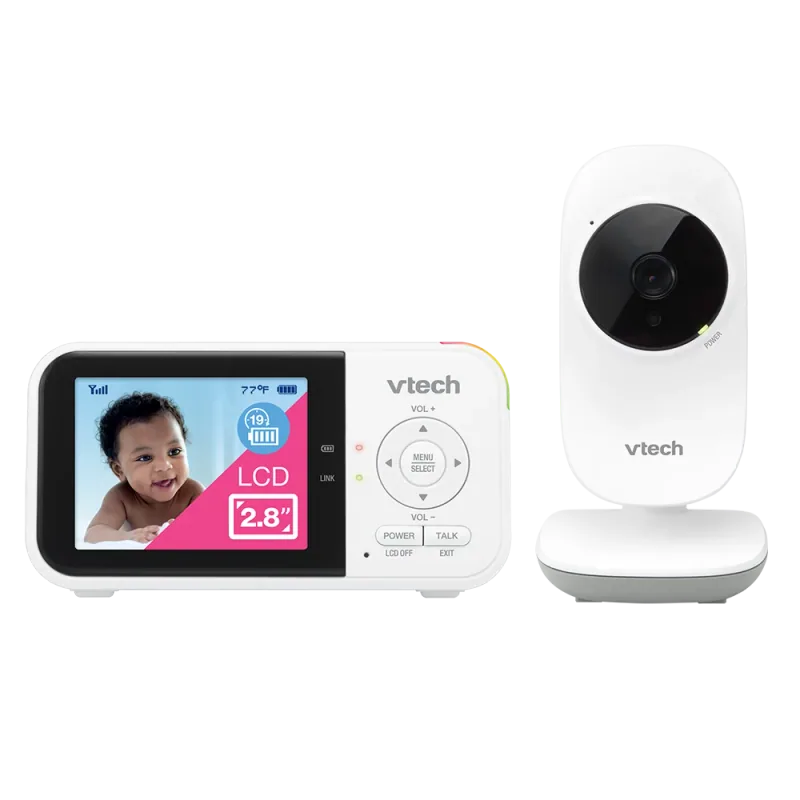
The VM819 keeps the basic task straightforward: a camera talks to a separate handheld viewer. Its small screen is easy to carry, although parents who want a wide picture may prefer a larger model. This is a practical example for grandparents, visitors, or households that want to leave their phone available for calls. Manufacturer range and battery figures are maximum claims, so check reception in your actual bedrooms and kitchen. The camera still needs power even when the parent unit is running on its battery.
- 2.8-inch color parent display
- Direct connection without home Wi-Fi
- Two-way talk and night vision
- Temperature display and sound activation
Where it fits
- Separate viewer for caregiver handoff
- No router login for routine use
What to weigh up
- Small display limits visual detail
- No away-from-home app viewing
02
Two cameras with a local parent display
HelloBaby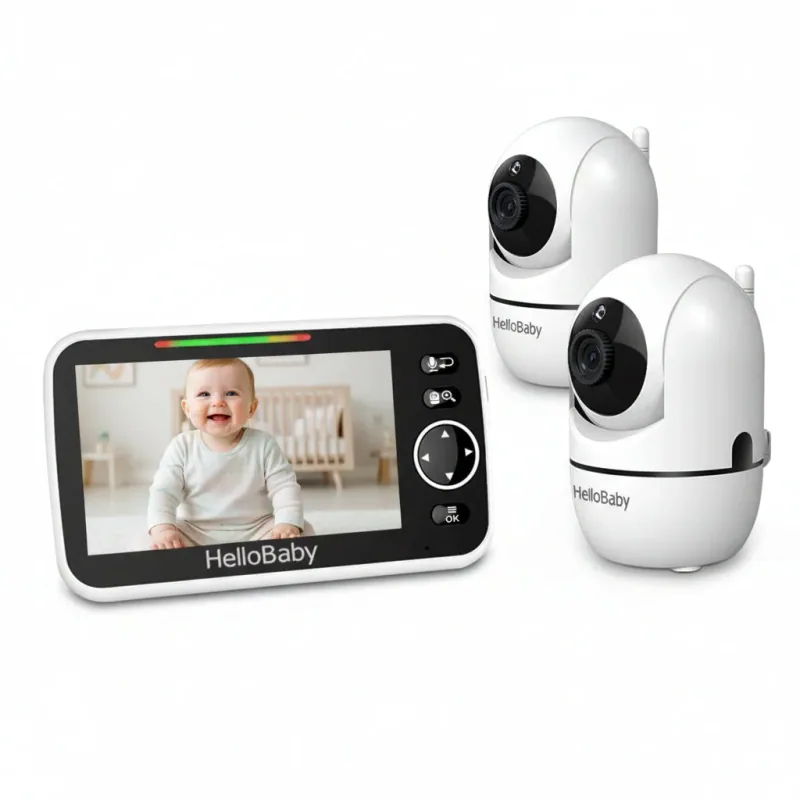
HelloBaby HB6550-2
This two-camera HB6550 package is a concrete option when you want to watch two locations without configuring a home-network camera. The five-inch receiver and remote camera movement help you adjust the view without entering the room. Compare the exact suffix when shopping: a similarly named one-camera package is a different purchase. Before relying on the system overnight, learn how it switches camera views and audio. A claim that several cameras can pair with the receiver does not automatically mean all audio plays simultaneously.
- 5-inch color display
- Two cameras included
- 2.4 GHz FHSS connection; no Wi-Fi required
- Manufacturer lists expansion to four cameras
Where it fits
- Two-camera package
- Remote pan and tilt
What to weigh up
- Confirm audio switching behavior
- No remote internet viewing
03
A parent screen plus remote app access
VTech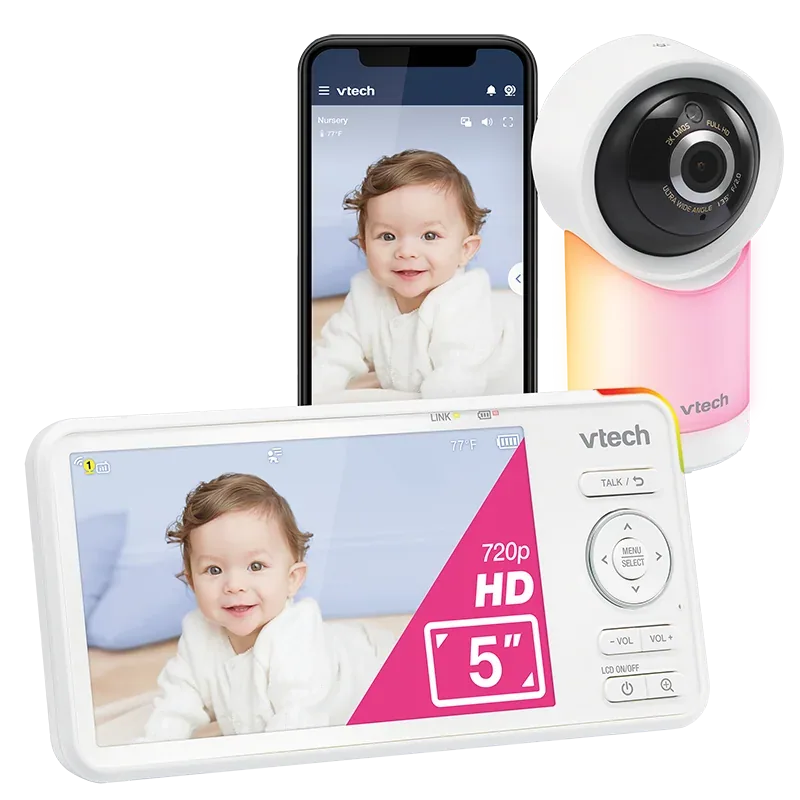
VTech RM5766HD
The RM5766HD sits between a local monitor and a phone-first camera. You get a dedicated parent display while retaining remote viewing through VTech’s supported app. That combination can be useful when one caregiver stays home and another checks in from elsewhere. Pay attention to model generation when downloading the app or manual; VTech has more than one app and similarly named packages. Camera resolution and parent-display resolution are also separate specifications, so a 1080p headline does not mean every screen shows that resolution.
- 5-inch 720p parent display
- 1080p camera video
- Remote pan, tilt and zoom
- Wi-Fi remote viewing and two-way talk
Where it fits
- Screen and app options
- Motorized camera adjustment
What to weigh up
- App depends on supported model generation
- Confirm camera expansion before buying
04
App access and optional sleep history
Nanit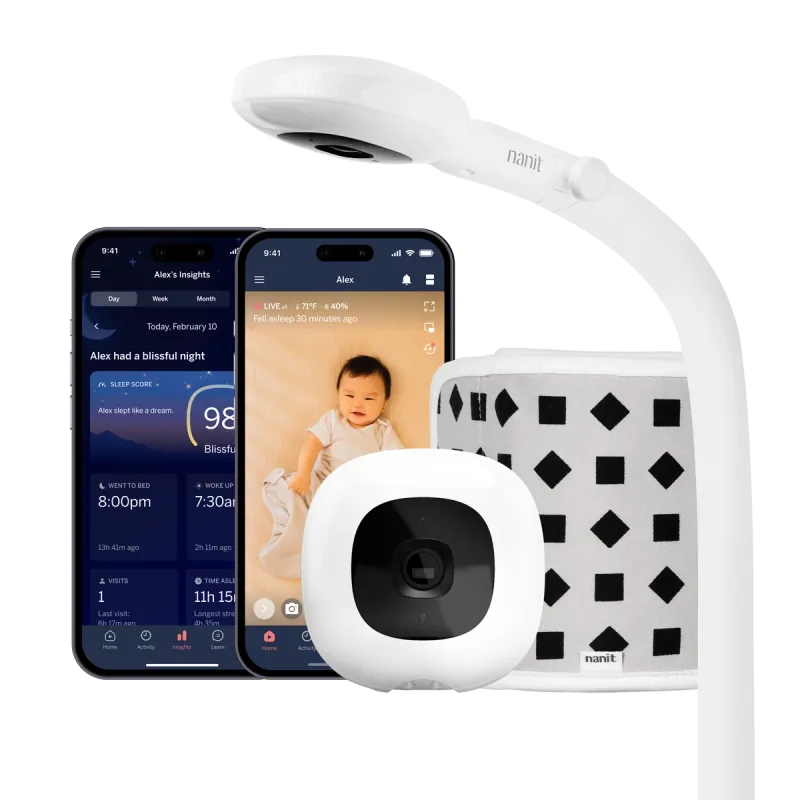
Nanit Smart Baby Monitor System
Nanit is a useful comparison point when remote viewing matters more than having a small receiver in your pocket. The Pro camera can be purchased with a wall mount or floor stand, and an optional dedicated display changes the at-home viewing experience. Separate the camera purchase from the Insights decision: live viewing and paid history are different needs. Before choosing a bundle, work out where the mount fits and which caregivers need access. This is a comparison of published features, not a hands-on review.
- Wi-Fi camera with iOS and Android app access
- Wall mount and floor stand packages
- Optional 8-inch display package
- Additional Insights features require a subscription
Where it fits
- Remote caregiver access
- Choice of mounting and viewing packages
What to weigh up
- Account and network setup required
- Budget separately for optional Insights
A useful shortlist by the job you need done
For a small dedicated viewer, start with the VTech VM819. For a larger local screen and two included cameras, compare the HelloBaby HB6550-2. If you want both a parent unit and remote access, look at VTech RM5766HD. If app access and optional sleep history are the priority, investigate Nanit. The product photographs and direct manufacturer links above identify the exact packages, so you can distinguish a two-camera kit from a one-camera offer.
These are four different workflows rather than four products arranged into a universal league table. Someone who hands the monitor to a grandparent every afternoon may value the VM819’s separate controls more than a sleep graph. Someone who travels for work may value Nanit’s remote access even if it takes more account setup. Two children in separate rooms introduce another question: what happens to audio while the receiver shows the other camera? Put that question ahead of zoom specifications.
What the specifications mean in practice
Screen size and resolution: the VM819’s 2.8-inch display is physically smaller than the five-inch displays on the HelloBaby and RM5766HD. The latter’s 1080p camera and 720p parent screen are different components. A higher camera resolution cannot give a small viewer a physically larger picture. If reading the screen without glasses matters, try that exact task.
Range: a manufacturer’s maximum wireless range is not a promise that a signal will cross your particular walls, floors or detached garage. A local system still needs an in-home check. A Wi-Fi camera needs usable coverage where the camera sits, and an app needs its own connection too. Moving the router may change performance more than choosing a higher pixel count.
Power: a rechargeable parent display does not make the nursery camera cordless. Map an outlet and cord route before buying a floor stand or deciding the camera will sit on a dresser. Check whether your preferred sound-only setting changes battery life and whether charging can continue during normal viewing.
Compare the complete first-year setup
Write four rows on a shopping note: camera package, mounting hardware, extra camera and optional subscription. Add a fifth row for anything needed by a second household. This prevents a low starting price from hiding the cost of the system you actually intend to use. Do not count a free trial as a permanent included feature.
Before the return window closes, ask each regular caregiver to find the volume control, identify a disconnected camera and recharge the receiver. Then try a normal evening with kitchen noise, closed doors and a phone used for other tasks. Keep the device that delivers the workflow you need consistently. For a step-by-step installation routine, continue with the baby monitor setup guide.

Multi-room audio deserves its own check
A two-camera package answers how many cameras arrive, but not how the receiver handles sound. Some systems show one view at a time; others offer a split picture or cycle between rooms. Ask whether sound follows the selected camera, alternates automatically or has another alert behavior. The answer matters if two children sleep at the same time. HelloBaby’s paired-camera count and VTech’s app camera list should not be read as promises of simultaneous audio.
For a split caregiver routine, decide who will hold the receiver and who receives phone notifications. Two adults assuming the other one is watching is a handoff problem that more cameras cannot solve. Agree explicitly when responsibility changes.
If you plan to carry a monitor to another home, check which components must travel: camera, viewer, both power supplies and any approved mounting hardware. A phone-based camera may also need a new network setup. Rehearse that process before the visit and keep your usual direct supervision arrangements available while installing it.
Match the system to the people using it
Write down who will use the monitor on an ordinary Tuesday. A grandparent who watches the baby twice a week may prefer a screen with familiar buttons. A parent working away from home may prioritize controlled app access. A household that already shares a phone for other tasks may find a dedicated display easier.
For two rooms, check whether the system supports additional cameras, whether audio alternates between them, and what a split-screen view actually shows. A photo of two camera windows does not tell you whether you will hear both rooms continuously. Ask the manufacturer about that specific behavior.
Compare ownership costs and everyday friction
Include the mount, second camera, replacement charging cable and any desired subscription in your comparison. A lower hardware price can lose its advantage if a feature you consider essential requires a recurring payment.
Then consider the nuisance questions: can you dim the screen at night, silence unneeded alerts, change volume without opening several menus, and carry the parent unit between rooms? Test these during the return period. A clear picture matters less if the controls repeatedly wake a sleeping adult or notifications become easy to ignore.
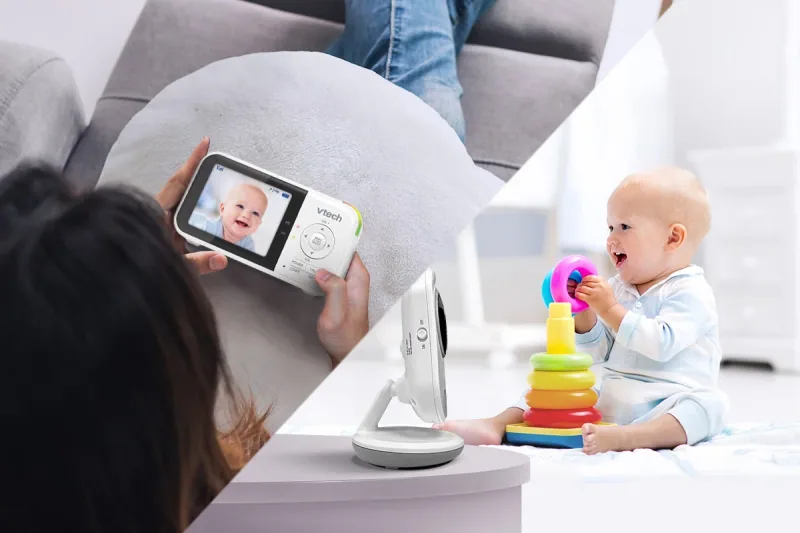
Set up the nursery first
Choose a safe camera location before choosing a mount. Keep cords and equipment out of your child's reach and follow the installation instructions. CPSC warns that accessible monitor cords create a strangulation hazard; its guidance calls for keeping cords at least three feet from every part of the crib, bassinet or other sleep space, and beyond the child's reach. See CPSC's monitor warning.
A monitor does not replace checking on your baby or following safe-sleep guidance. Treat a connection warning as a reason to check the baby and the device, not as evidence that everything is fine.
Make a shortlist you can actually decide between
Pick your preferred connection type, then compare two models in that category. During setup, check sound from the farthest room, visibility after dark, reconnection after an ordinary router restart, and access for another caregiver. Record the results rather than relying on memory.
If your main need is a quick visual check at home, a simpler device may meet it. If remote access matters daily, evaluate the app, permissions and ongoing cost together. The right monitor is the one that reliably supports your family's actual routine.
A few more details
Your questions, answered
Are Wi-Fi baby monitors better than non-Wi-Fi monitors?
Neither type is best for everyone. Wi-Fi models can offer remote access, while dedicated local systems can offer a simpler at-home workflow. Compare the exact model's behavior.
Which of these monitors works without home Wi-Fi?
VTech VM819 and HelloBaby HB6550-2 use a dedicated local connection. Their nursery cameras still need power, and range should be checked in your home.
What is the difference between RM5766HD and Nanit?
RM5766HD includes a parent display with remote app access. Nanit starts with an app-based camera system and offers an optional dedicated display and paid Insights features. Compare the complete chosen package.
Sources & product information
Follow the original sources for current product details, instructions, and guidance.